This one’s a bit embarrassing. But if it happened to us, a company that does Cloudflare security for a living, it can happen to anyone. So here’s the whole story.
The symptom: nothing
That’s the scary part. There was no error email, no angry customer, no red warning in WordPress. The contact form on our own website just… stopped delivering messages. For months.
Visitors filled it in, clicked Send, and got a vague failure message (if they noticed at all). We heard nothing.
What was going on
Back in 2025, someone put a Cloudflare Access application in front of the WordPress admin area, /wp-admin. Sounds sensible: lock the admin area behind a proper login. I’d recommend something similar myself.
The catch is a file called /wp-admin/admin-ajax.php. Despite the name, it isn’t just for admins. It’s how lots of WordPress features talk to the server from the public side of the site, and Elementor forms send their submissions through it.
So every time a visitor pressed Send, their browser posted the form to admin-ajax.php, Cloudflare Access said “who are you? Log in first”, and the submission died with a 401 Unauthorized.
How we found it
While rebuilding the site I was going through Cloudflare’s Security → Analytics → Events and Zero Trust logs, and saw a steady trickle of blocked POST requests to admin-ajax.php: about 120 in 30 days.
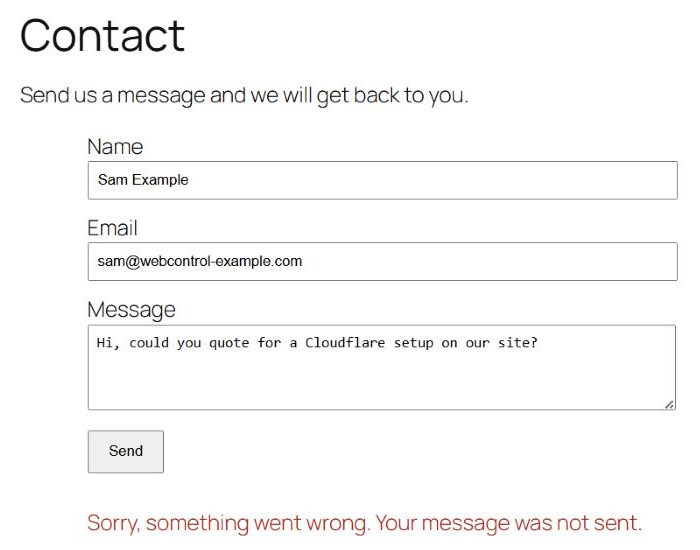
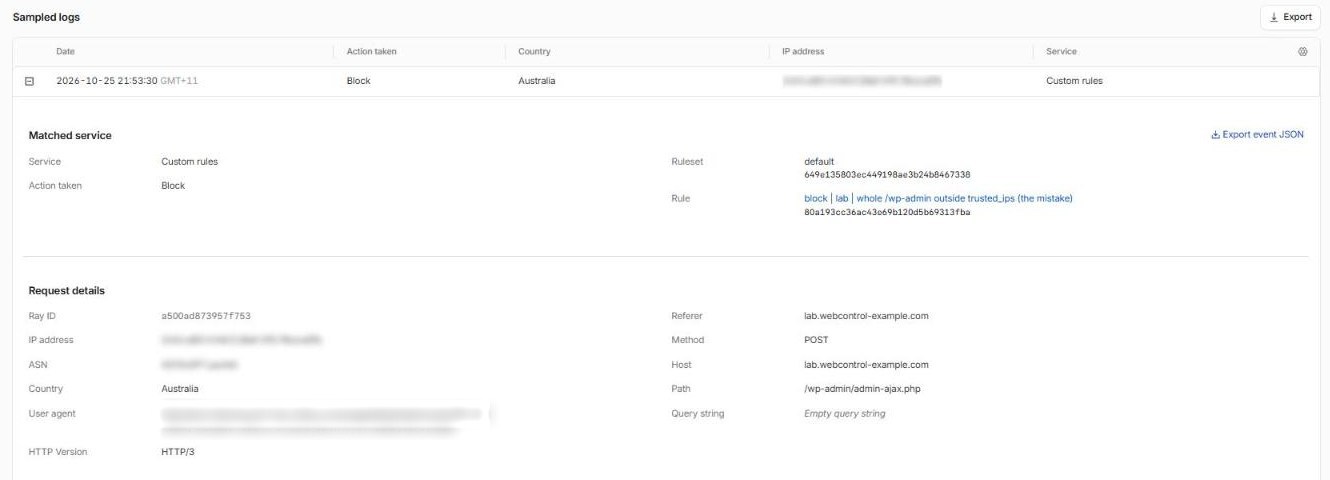
To show you exactly what that looks like, I recreated the mistake on our lab site: a rule that protects the whole /wp-admin folder, with no exception for admin-ajax.php. The lab uses a WAF custom rule rather than an Access application, so the block shows up in Security Events under the rule’s name; the real one was Access, which answers with a 401 and logs in Zero Trust instead. Either way, fill in the contact form, press Send, and this is all the visitor gets:
And this is what Cloudflare records: a blocked POST to /wp-admin/admin-ajax.php, by the rule protecting the admin folder.
Going through our real ones, almost all were spam bots. So in a twisted way the broken setup was a very effective spam filter. But “almost all” isn’t “all”. Some of those could easily have been real people trying to reach us, and we’ll never know who.
The fix
- Removed the Access application from
/wp-admin. - Widened our existing WAF rule so that
/wp-login.phpand/wp-adminare blocked for everyone except trusted IPs, withadmin-ajax.phpexplicitly excluded. (Full rule in Why your WordPress login page shouldn’t be public.) - Added proper spam protection to the form itself: Elementor’s built-in honeypot field, plus Cloudflare Turnstile. Now spam is stopped by tools designed to stop spam, not by accident.
- Turned on “Collect Submissions” in Elementor, so every form entry is also saved in WordPress. If email delivery ever breaks, the messages are still sitting in the dashboard.
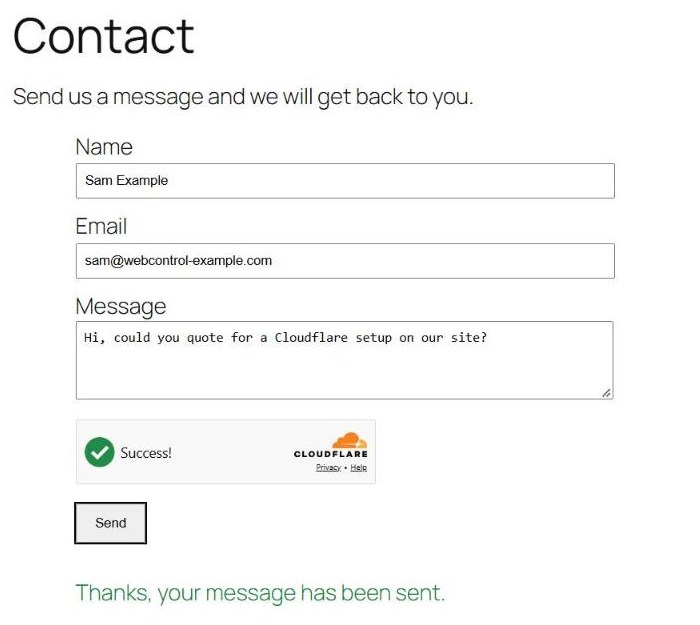
On the lab site, the same rule with admin-ajax.php left out lets the form straight through:
What you should check on your own site
- Test your contact form from outside your network. Phone off Wi-Fi, mobile data, fill it in, send it. Did it arrive? Do this every few months, and after any security change.
- Look for blocked requests to
admin-ajax.phpin your Cloudflare security events. If you see real-looking traffic being blocked there, you have this problem. - Save submissions in WordPress as well as emailing them. Email is the most fragile part of any website.
- Be careful with “protect the whole admin folder” rules, whether in Cloudflare, a security plugin or
.htaccess. Always carve outadmin-ajax.php.
The lesson
Security changes that fail loudly get fixed in five minutes. Security changes that fail silently can cost you customers for months. Whenever you lock something down, test the things that should still work, not just the things that should now be blocked.
Not sure if your form is quietly failing? Send us a message. Yes, it works now. We check.