
“Select all the squares with traffic lights.”
Nobody has ever enjoyed doing that. And every time a potential customer has to do it on your contact form, there’s a chance they just give up and ring your competitor instead.
But you can’t just turn spam protection off, either. Leave a form unprotected and within a week you’ll be drowning in crypto offers and SEO “partnerships”. So what’s the answer?
For most small business sites, my answer is Cloudflare Turnstile.
What is Turnstile?
Turnstile is Cloudflare’s free replacement for CAPTCHAs. Instead of making people solve puzzles, it runs quick checks in the background on the visitor’s browser. Most real people see a small “verifying…” box that ticks itself within a second or two. Bots don’t get a pass.
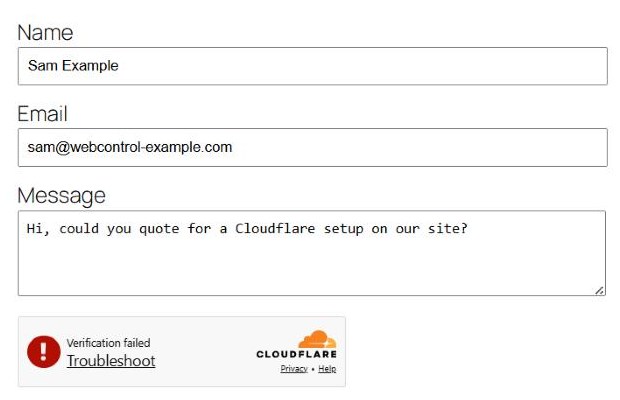
We saw that first hand. While taking the screenshots for this post, we opened our lab contact form in a browser driven by automation software. Even with a person clicking the box, Turnstile spotted the automation and refused:
It’s free, there’s no traffic limit for normal use, and your site doesn’t even need to be on Cloudflare to use it. You just need a free Cloudflare account to create the widget.
Turnstile vs Google reCAPTCHA
| Cloudflare Turnstile | Google reCAPTCHA | |
|---|---|---|
| Puzzles for visitors | No image puzzles | v2 often shows image puzzles; v3 is invisible but scores visitors |
| Privacy | Designed not to use visitor data for advertising | Run by an advertising company; worth mentioning in your privacy policy |
| Cost | Free | Free up to a monthly limit, now managed through Google Cloud |
| Setup | Site key + secret key | Site key + secret key |
| Needs your site on Cloudflare? | No | N/A |
reCAPTCHA still works, and if you’re already happy with it there’s no emergency. But for a new site, or one where visitors are complaining, Turnstile is the easier choice.
Setting it up with WordPress and Elementor
1. Create the widget in Cloudflare
- Log in to the Cloudflare dashboard and open Application security → Turnstile from the side menu.
- Click Add widget manually, give it a name and add your domain (for example
webcontrol-example.com). - Choose Managed mode. Cloudflare decides when a visitor needs to tick a box, and most never do.
- Copy the site key and secret key. Treat the secret like a password: don’t email it around or paste it into a shared doc.
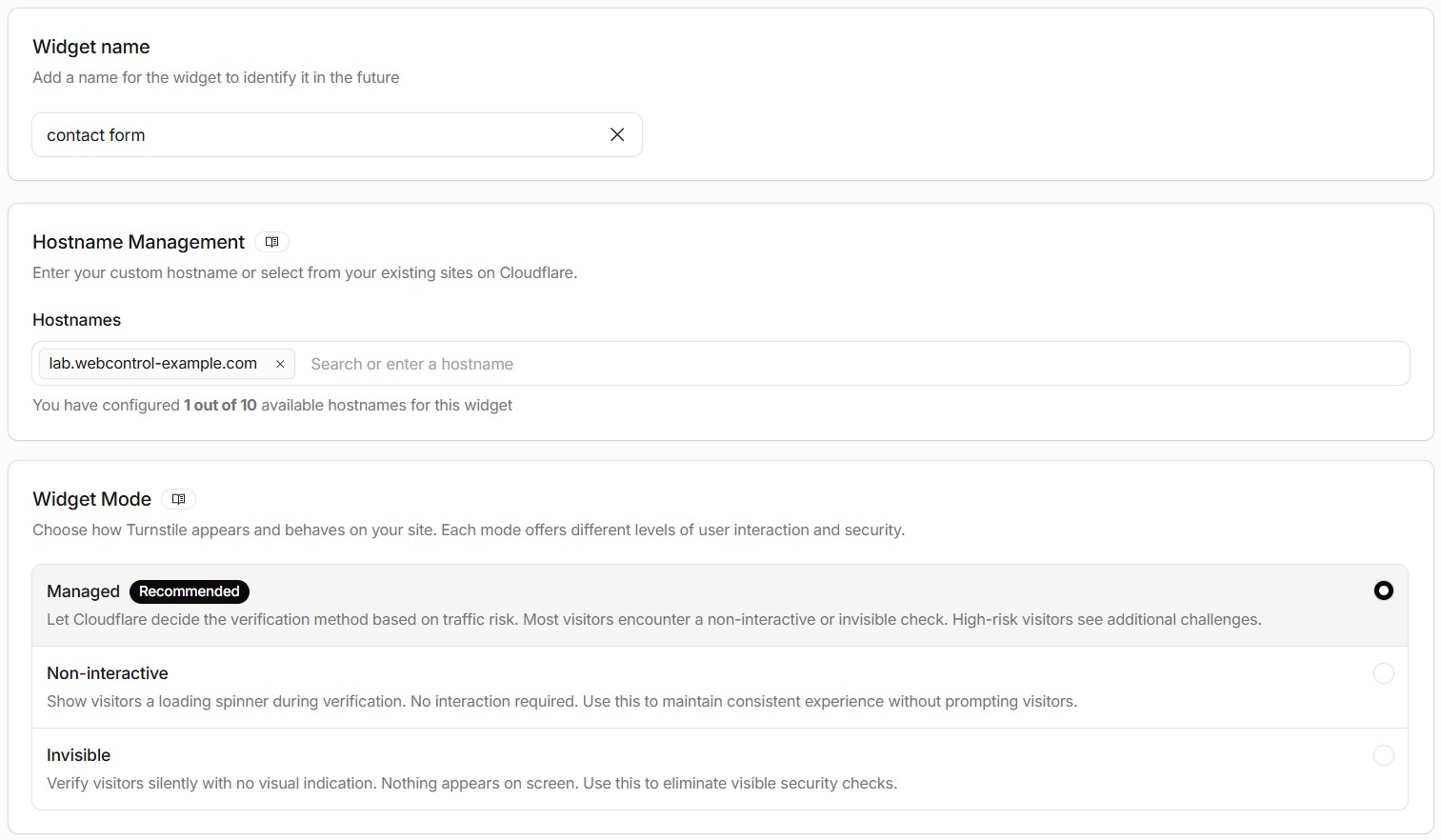
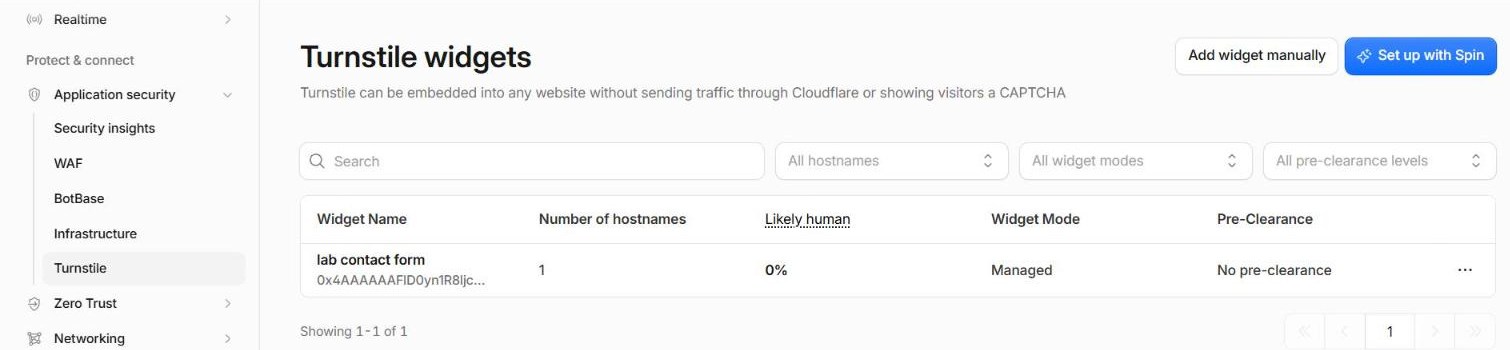
Your widgets are listed on the same page, with a running count of how many visitors look human.
2. Install a plugin
We use Simple CAPTCHA with Cloudflare Turnstile (formerly Simple Cloudflare Turnstile), a free plugin that supports Elementor Pro forms, the WordPress login and comment forms, WooCommerce, Contact Form 7 and more. Install it, open its settings, paste in the two keys, and tick the forms you want protected.
3. Test it
- Submit your contact form as a normal visitor. It should go through.
- Check the plugin’s settings page. It can test the keys for you, and a wrong secret key is the most common reason forms suddenly stop working.
Belt and braces: add a honeypot
Elementor Pro forms also have a Honeypot field. It’s invisible to people but tempting to dumb bots, which fill it in and get rejected. It costs nothing and catches the laziest spam before Turnstile even sees it. Add one to every form.
What we run
Every one of our sites with a form now uses Turnstile with its own widget, plus a honeypot, plus form submissions saved inside WordPress in case email ever fails. Spam forms that come in without a valid Turnstile token are simply refused.
(We learnt the hard way that “blocking spam” and “blocking customers” can look identical from the inside. Read about that in Our contact form was silently rejecting customers.)
Want Turnstile set up on your forms? Get in touch. No traffic lights required.