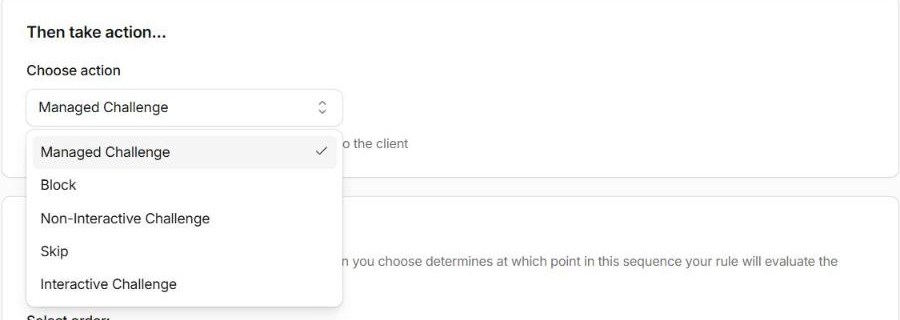
When you create a custom rule in Cloudflare, the last thing it asks is “Then take action…”. Most people pick Block and move on. Sometimes that’s right. Often a challenge or a skip would do the job better, with far less risk of turning away real customers.
Here’s how I choose.
The actions, in plain English
| Action | What the visitor gets | Stops other rules? |
|---|---|---|
| Block | A Cloudflare “Sorry, you have been blocked” page (HTTP 403). No way through. | Yes |
| Managed Challenge | Cloudflare decides how hard to check. Most real people see a brief check or nothing at all. | Yes |
| Non-Interactive (JS) Challenge | A short page that runs a check in the browser, with no clicking. | Yes |
| Interactive Challenge | The visitor has to click or complete something. | Yes |
| Skip | Nothing visible. Cloudflare skips some of your other security checks for this request. | No (it skips the ones you choose) |
| Log | Nothing. The request is just recorded. Enterprise only. | No |
The column on the right matters. Cloudflare runs your custom rules from top to bottom, and the first rule that blocks or challenges a request ends the matter. Rules further down never see it.
When to block
Block when you’re certain no legitimate visitor should ever match the rule:
- your WordPress login page, for anyone not on your trusted IP List (see How to use Lists in Cloudflare)
- files nobody should request, like
/xmlrpc.phpon a site that doesn’t use it, or/.env - your staging site, for everyone except you

The test is simple: if a real customer matched this rule, would I want them stopped dead with no way through? If the answer is “probably not”, don’t block.
When to challenge
Challenge when the traffic is suspicious but not certainly bad. Visitors from countries you rarely see, a burst of requests to your search page, a user agent that looks a bit off. A real person gets through; most simple bots don’t.
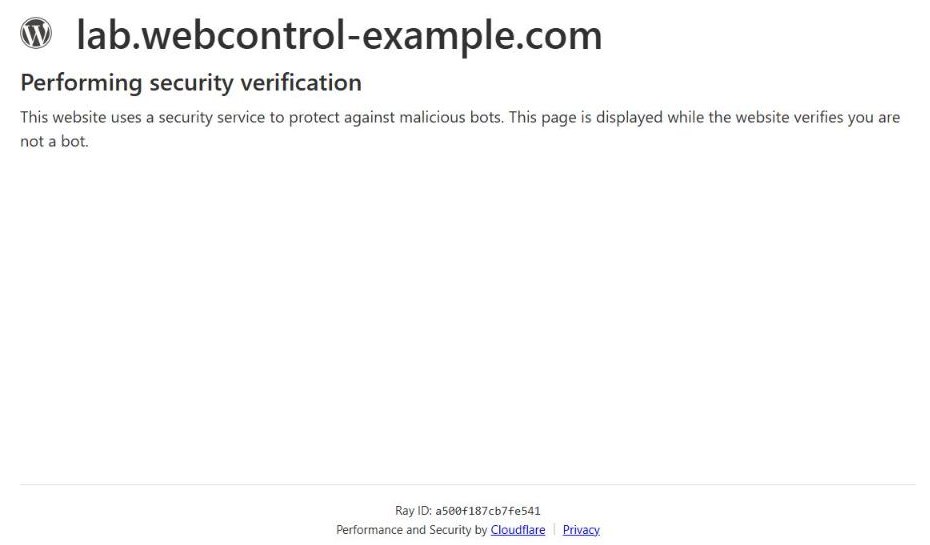
Use Managed Challenge rather than the others unless you have a reason. Cloudflare picks the lightest check that works for that visitor, which usually means real people barely notice. On our lab site, a normal browser hitting a Managed Challenge saw this page for about two seconds, then went straight through to the page it asked for:
Two places a challenge doesn’t work:
- APIs, webhooks and apps. A payment provider calling your webhook can’t solve a challenge. It’ll just fail. Exclude those paths from challenge rules, or skip them explicitly.
- Uptime monitors. Your monitoring will think your site is down. Exclude them, ideally by IP.
When to skip
There’s no “Allow” action in custom rules any more. The old Firewall Rules had one; today it’s Skip. A Skip rule lets matching requests bypass the checks you choose: the rest of your custom rules, rate limiting, managed rules or Super Bot Fight Mode.
Use it for traffic you’ve verified, such as:
- your payment provider’s webhook, from its published IP ranges
- your own office, so a managed rule doesn’t trip over your admin work
- a monitoring service you pay for
Two cautions. Skip only what you need: “skip all remaining custom rules” for a path is very different from “skip everything”. And put Skip rules at the top, because a Block above them will win first.
When to log
If you’re on Enterprise, Log is the safest way to try a new rule. Set it to Log, leave it for a week, look at what it would have caught, then switch it to Block. On other plans there’s no Log action, so you need a different approach: see How to test a new WAF rule without locking out customers.
Name the action you actually chose
Whatever you pick, put it at the front of the rule’s name, and change the name if you change the action. A rule called “block bots” that has quietly been a challenge for months will mislead the next person who reads your security events, and that person is usually you, in a hurry.
Not sure your rules are doing what you think? Get in touch and we’ll go through them with you.