Be honest: how many times have you clicked “Update” on a WordPress plugin, held your breath, and hoped the site was still there afterwards?
There’s a better way. It’s called a staging site, and every business website should have one.
What is a staging site?
A staging site is a private copy of your website, usually on an address like staging.webcontrol-example.com. It has the same theme, plugins and content as the real thing, but no customers ever see it.
You make your changes there first, check them, and only then do the same on the live site (or push the whole thing across). If something breaks on staging, nobody notices except you.
What to use it for
- Plugin and theme updates, especially big version jumps.
- PHP upgrades. Very topical right now; see Is your host running an end-of-life PHP version?
- Redesigns. Build the new pages without a half-finished site being visible to the world.
- Security changes such as new firewall rules, so you can check that forms and logins still work before customers find out the hard way.
- Trying new plugins before deciding whether you actually need them.
In fact, the WebControl site you’re reading this on was rebuilt entirely on a staging site first.
The three ways staging sites go wrong
A careless staging site can cause more trouble than it saves. These are the big three.
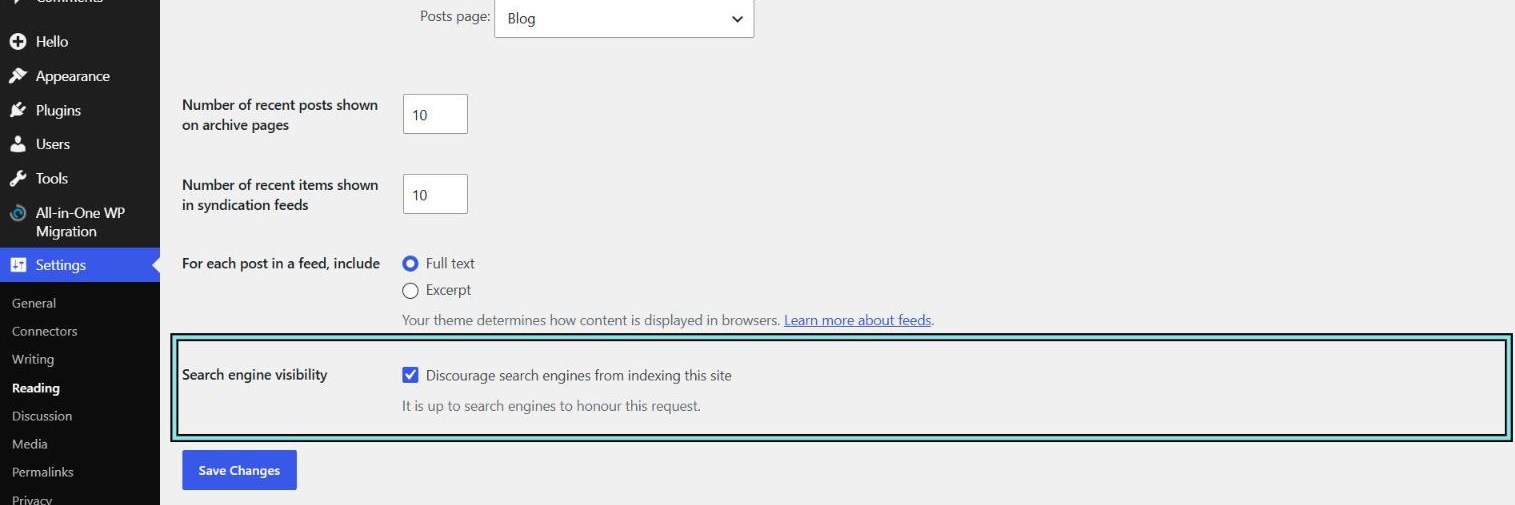
1. Google finds it. Now you’ve got two copies of your website in search results competing with each other, and customers landing on the test version. At the very least, tick Settings → Reading → Discourage search engines from indexing this site. Better still, make sure the public can’t reach it at all (see below). Note WordPress’s own warning under the box: it’s up to search engines to honour it.
2. It sends real emails. A staging copy of an online shop has your real customer list. Test an order or trigger a newsletter, and real customers get real emails about things that never happened. A staging site should never be able to send email to the outside world. Block outgoing mail on the server, or use a plugin that catches and logs emails instead of sending them.
3. It’s left wide open. Staging sites are often forgotten, with old plugins and out-of-date software, and they frequently contain a copy of your real customer data. Attackers love them. Lock it down:
- Put it behind a login before WordPress, such as Cloudflare Access (free for small teams) or at minimum password protection on the web server.
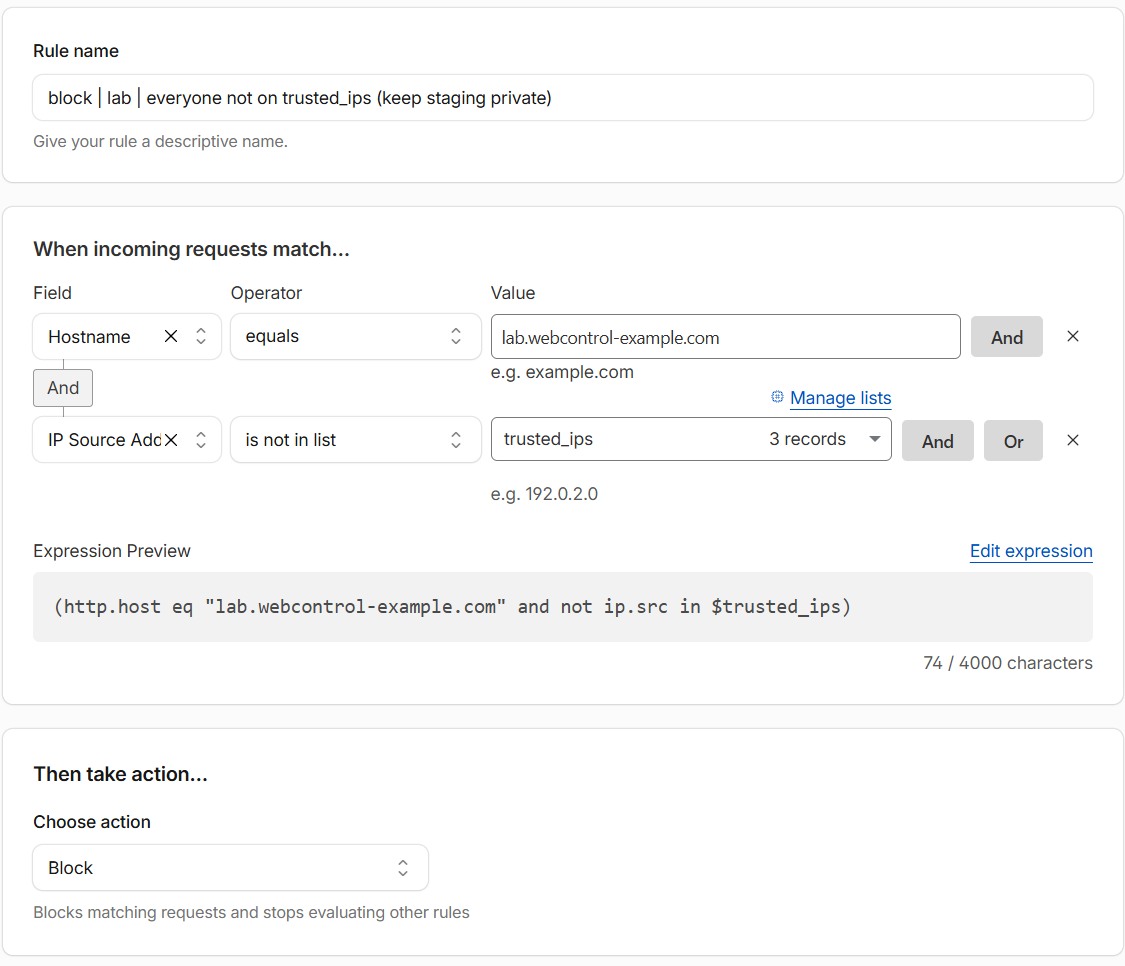
- Or allow only your own IP addresses, for example with a Cloudflare List.
- Keep it updated, just like the live site.
- If you don’t need customer data on staging, remove or scramble it.
With Cloudflare, the IP lock is one custom rule: block the staging hostname for everyone who isn’t on your trusted List.
Do I need to pay for this?
Often not. Many hosts include one-click staging. If yours doesn’t, a backup and migration plugin can copy your site to a subdomain. We run a separate staging server for our own sites, built so that every staging site is blocked from search engines, can’t send mail and is only reachable by us.
A simple routine
- Refresh staging from live (so you’re testing against the real thing).
- Make the change on staging.
- Click through key pages, submit a form, check the shop checkout if you have one.
- Take a backup of live.
- Apply the change to live, and test again.
It sounds like more work. It’s a lot less work than restoring a broken site at 9pm on a Friday.
Want a staging site set up properly? Get in touch.