Somewhere in a lot of businesses there’s a plugin settings page, a backup script or a developer’s laptop holding a Cloudflare Global API Key. If that’s you, this post is your nudge to replace it this week.
What the Global API Key can do
Everything you can do. That’s the problem.
The Global API Key isn’t tied to a task. It carries the full permissions of the user it belongs to, across every account and every domain that user can reach. If the plugin that only needed to purge the cache gets compromised, whoever has the key can also change your DNS, turn off your WAF, point your website somewhere else or delete the zone entirely.
It also has some practical problems:
- There’s only one per user. You can’t give each tool its own, so you can’t tell which tool used it.
- Rotating it breaks everything at once. Every tool that uses it stops working the moment you roll it.
- No limits. No expiry date, no IP restriction, no “only this domain”.
Cloudflare’s own documentation says the Global API Key is not recommended for new customers and encourages everyone else to move to API tokens.
API tokens: a key for each lock
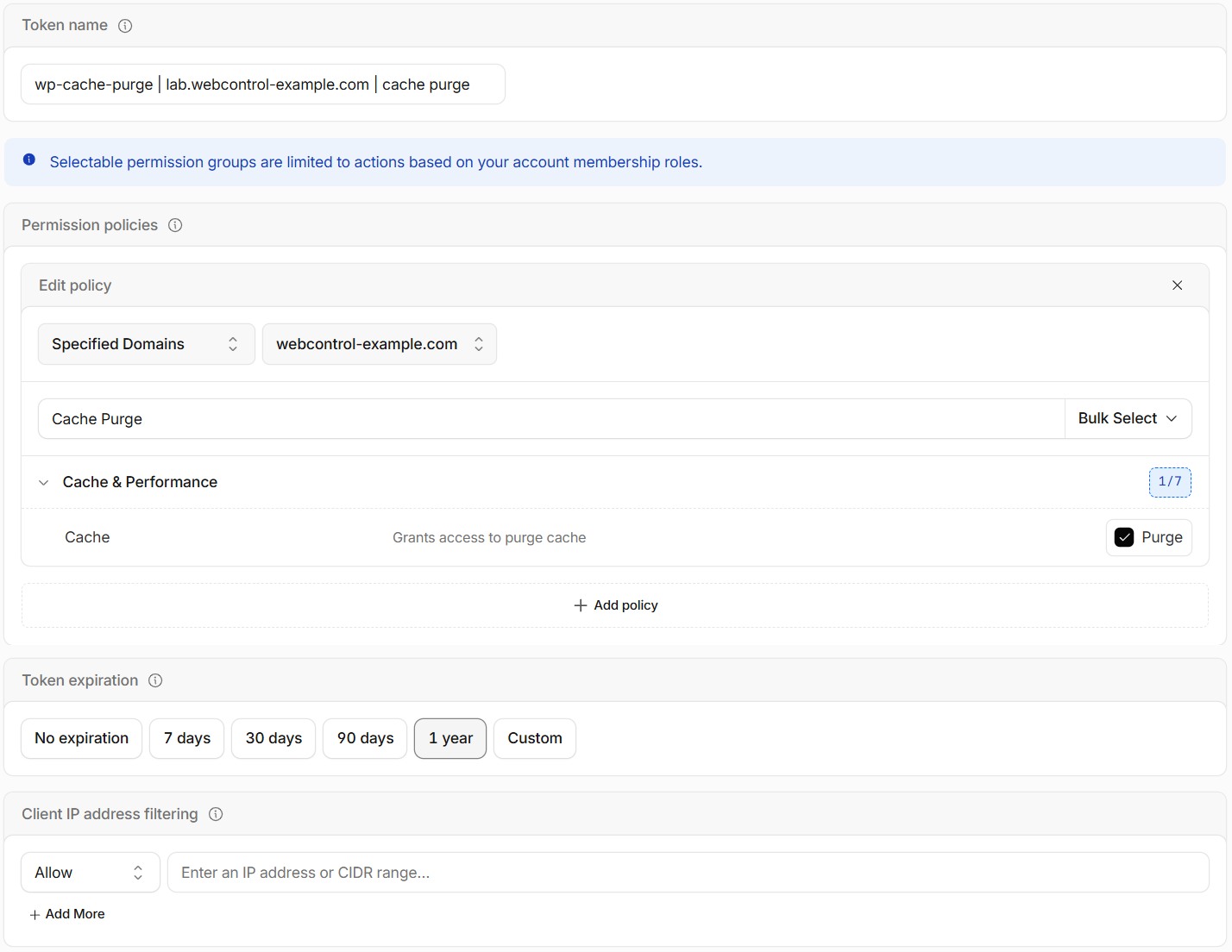
An API token is a key you create for one job, with only the permissions that job needs. You can limit each token by:
- Permission: for example, only “Zone → Cache Purge”, or “Zone → DNS → Edit”.
- Resource: only one domain, or only the domains in one account.
- Client IP address: the token only works from your server’s address.
- Time: when it starts working and when it expires.
A cache-purge token that only works on one domain, from one server, can’t hurt much if it leaks. That’s the whole idea.
Common jobs and what they need
| Job | Permissions | Scope |
|---|---|---|
| Purge the cache from WordPress | Zone → Cache Purge → Purge | That one zone |
| Let’s Encrypt DNS validation (certbot, acme.sh) | Zone → DNS → Edit, Zone → Zone → Read | The zones it issues certificates for |
| Dynamic DNS for a home or office line | Zone → DNS → Edit | The one zone (ideally a dedicated one) |
| Read-only reporting or monitoring | The relevant “Read” permissions only | The zones you report on |
If a tool’s instructions say “enter your email and Global API Key”, look for a newer version or a token option. Most tools added token support years ago.
How to swap the key out
- Find everywhere it’s used. WordPress plugins, backup and certificate scripts, CI pipelines, password managers, that old
.envfile. This is the hard part. - Create a token for each tool. For anything long-lived, like a server script or a plugin, use an account API token (Manage account → Account API tokens). It belongs to the business, not a person, so it keeps working when the staff member who set it up leaves. Tokens under My Profile → API Tokens belong to you personally, and are better for your own one-off scripts.
- Swap each tool to its token and check it still works.
- Roll the Global API Key once nothing uses it. Rolling it makes the old key useless, so any copy you missed (or that leaked) stops working.
- Over the next few days, check each tool’s own logs for anything that fails. Cloudflare’s Audit Log shows what each token changed, but not requests that were refused.
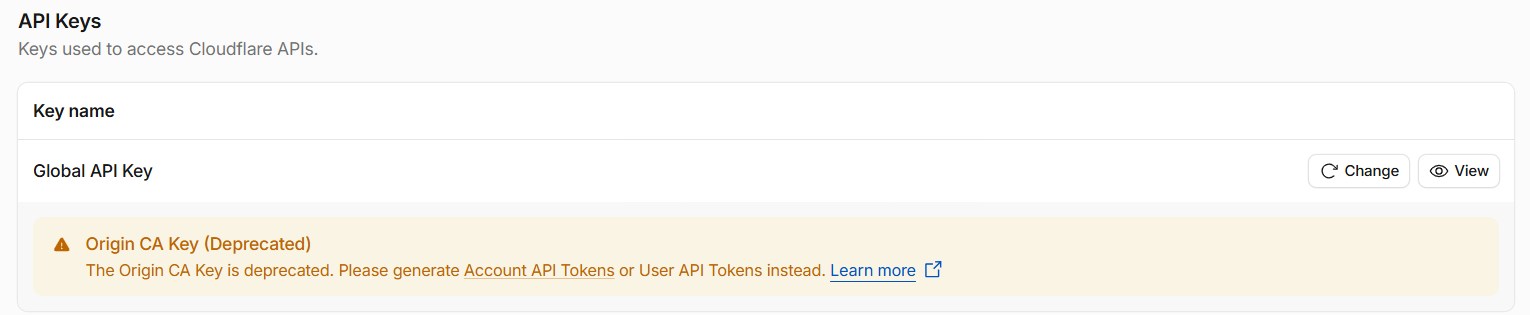
The Global API Key lives at the bottom of My Profile → API Tokens, under API Keys. Rolling it is the Change button.
Name your tokens like you mean it
Six months from now you’ll open the token list and see “token”, “token (2)” and “test”. You won’t know which one is safe to delete, so you won’t delete any of them.
Cloudflare doesn’t help here. The create form suggests a random name like autumn-lab-c687, and tokens it creates for you get names like cloudflare-managed-47ed2244.
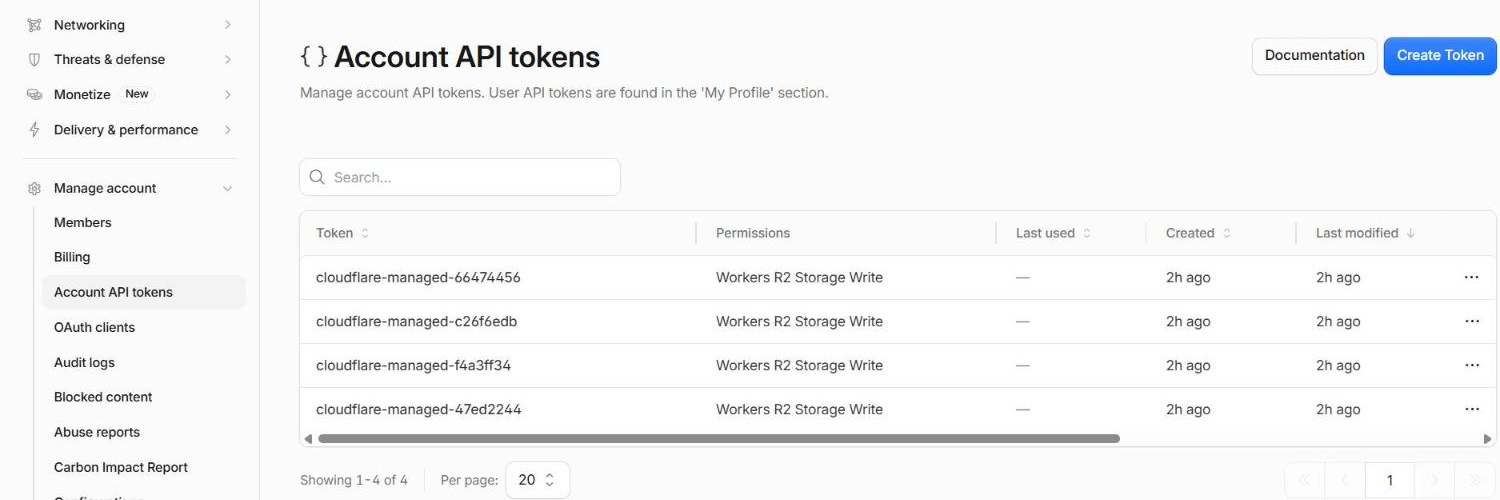
Give each token a name that says what uses it, where it runs, and what it can do:
certbot | web01 | DNS edit on webcontrol-example.com
wp-cache-purge | lab.webcontrol-example.com | cache purge
uptime-report | reporting VM | analytics read on all zones
The name should tell you what will break if you delete it. I cover naming for DNS records, Lists and the rest of your account in Naming conventions for DNS records, Lists and API tokens.
And keep them out of the wrong places
- Never paste a token into an email, chat or support ticket.
- Keep tokens in a password manager or your server’s secrets store, not in a file inside your website’s public folder.
- Set an expiry date on tokens for one-off jobs.
- When someone leaves, check which tokens they created.
Not sure what’s using your Global API Key? We can help you find out and replace it without anything going down.